4 min read
Keep agreed customer prices fixed until you are ready to review them!
With standard Cost Plus contracts, the selling price follows the selected product cost. If the cost changes, the customer price can change straight away.
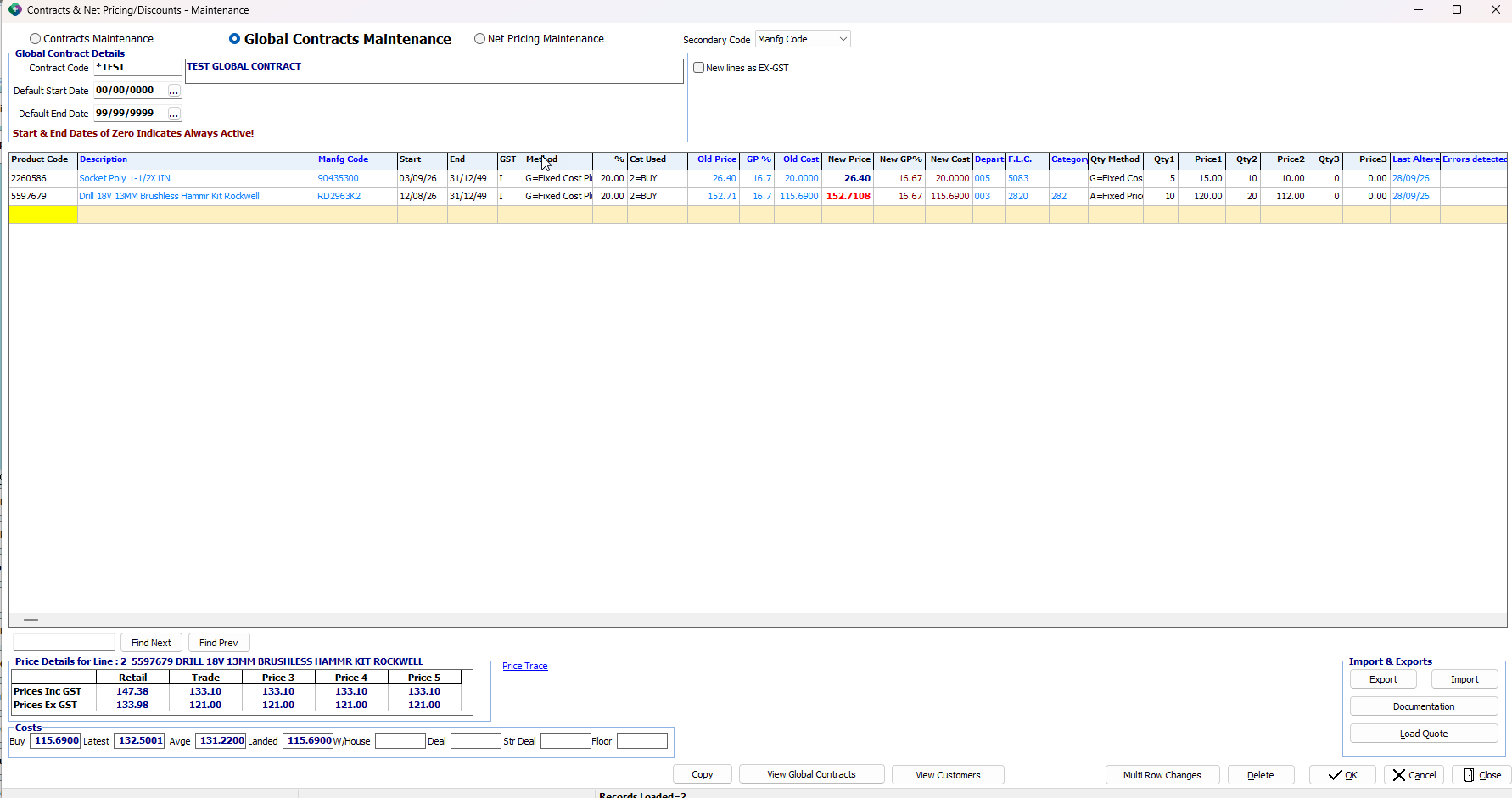
Fixed Cost Plus gives you a different option. You still choose the cost basis and markup percentage, but Sympac calculates the selling price when you save the contract line and then holds that price. The price stays as agreed until you choose to review and save the contract again.
This is ideal where customers expect a stable price list for an agreed period and you need time to review supplier cost changes before passing on a new price.

What does Fixed Cost Plus help with?
Review contract prices in bulk
The Multi Row Changes button in Contracts Maintenance has a new option.
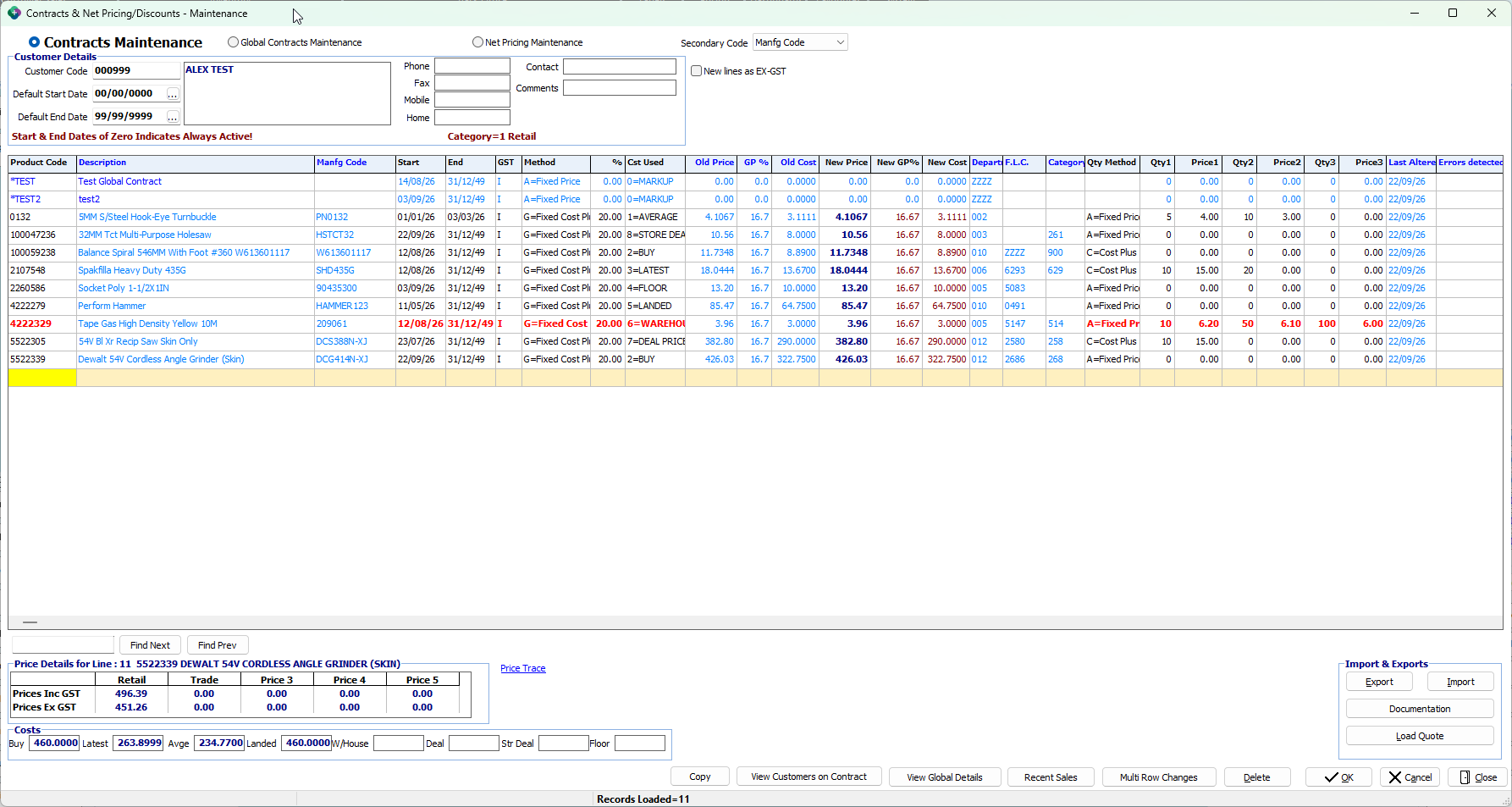
At contract review time, use Multi Row Changes button and select L – Update Cost Plus With New Cost in Contracts Maintenance screen. Sympac reloads the current cost for each Cost Plus and Fixed Cost Plus line using that line’s selected Cost Used setting.
The New Cost, New Price and New GP% columns update so you can compare the current price with the proposed price before saving.
Nothing changes until you select Save. If the proposed pricing is not right, close the contract without saving.
Where will the fixed price apply?
Once saved, the held Fixed Cost Plus price is used consistently at Point of Sale, in order entry, Customer and Contract Price Listings, Price Trace and Re-Price Document.
Existing Cost Plus, Fixed Price, Price Less and Price Plus contract lines continue to work exactly as they do today.
Get up to speed with symlearning!
To assist with the rollout of Fixed Cost Plus as part of the next Software release we have created a symlearning micro lesson. It steps you through the process so you can get up to speed quickly and start using this feature in Sympac.
You'll find our lesson in the Pricing Learning Pathway and also in our Debtors/Account Customers Learning Pathway on your symlearning dashboard, follow the link below to login.
Not yet on symlearning? Click 👉here to register.
NEW! Future Pricing Maintenance
Load future cost and sell prices before they take effect
Future Pricing Maintenance gives you a place to load future product cost and sell-price changes against a supplier, with an effective date.
Instead of waiting until a price change is due, you can prepare it in advance, review the future margin and have Sympac apply it at the right time.
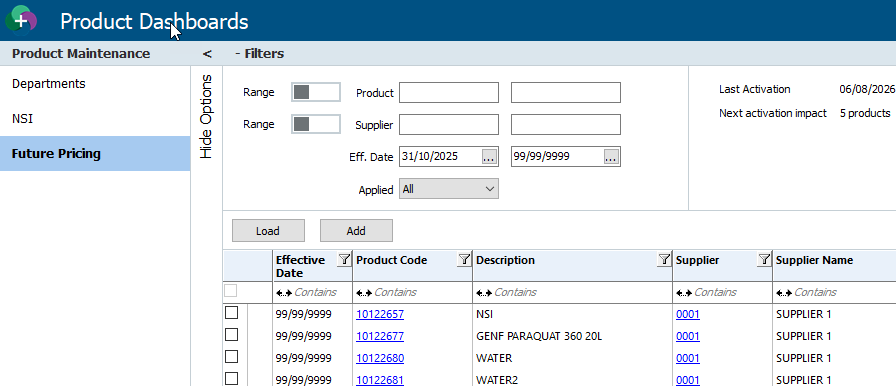

What does Future Pricing help with?
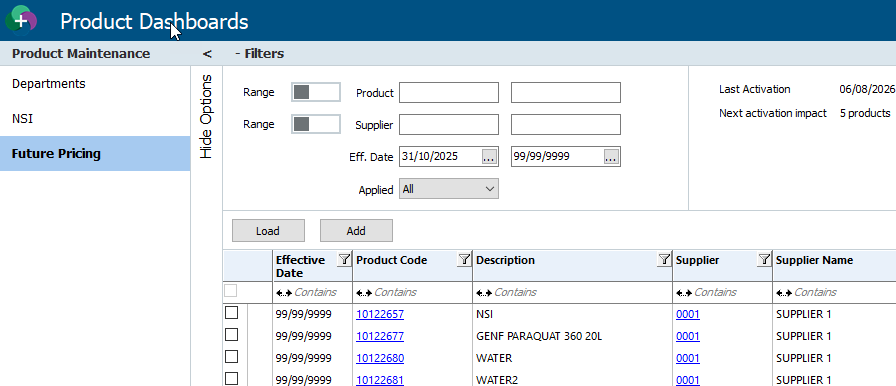
How are future prices applied?
Sympac checks for due future prices once a day after End of Day has run. You can also use Activate to apply prices that are due now.
When a price is applied, Sympac updates the product retail price and buy cost, as well as the supplier cost record. Where shelf labels are set up and stock is on hand, the new sell price is sent to the label queue in the usual way.
Use the features together for a controlled contract review cycle
Fixed Cost Plus and Future Pricing work together to help you manage supplier changes and customer pricing in the right order:
- Load supplier changes early — add or import the future costs and sell prices with their effective date.
- Check the impact — review the future GP% and adjust sell prices where required.
- Let product prices apply — Sympac updates due product prices after End of Day, or you can activate them when due.
- Review customer contracts — use Multi Row Changes > L to update proposed costs, prices and GP% for Cost Plus and Fixed Cost Plus lines.
- Set the next contract period — update start and end dates if required, then save.
- Send the price list — print or email the customer’s updated pricing.
- Hold the agreed price — Fixed Cost Plus stays fixed until the next contract review.
This means future cost changes do not flow automatically to Fixed Cost Plus customers. You stay in control of when contract prices are reviewed and changed.
Important to know
Future Pricing updates the product file. It does not automatically change a Fixed Cost Plus customer contract. You decide when to review the contract price, giving you time to check the changes and communicate with your customer.
Get up to speed with symlearning!
To assist with the rollout of Future Pricing Maintenance as part of the next Software release we have created a symlearning micro lesson. It steps you through the process so you can get up to speed quickly and start using this feature in Sympac.
You'll find our lesson in the Pricing Learning Pathway and also in our Inventory Learning Pathway on your symlearning dashboard, follow the link below to login.
Not yet on symlearning? Click 👉here to register.
Other contract pricing improvements coming soon
Quantity pricing now carries through contract imports
The Qty Method field is now included in Customer and Global contract import/export files and in the Table Magic contract layout. This means quantity-break pricing can be included when contracts are imported or updated through Table Magic.
Contract price lists now show quantity pricing
Contract price lists now show quantity-break pricing, making it easier for customers to see the prices available at higher quantities.
Customer Price List report improvements
Where more than one contract applies to a product, the Customer Price List report now shows one line at the correct, lowest contracted price — matching the price charged at POS.