These are the basic steps to follow to receipt electronic purchase orders in the Sympac system.
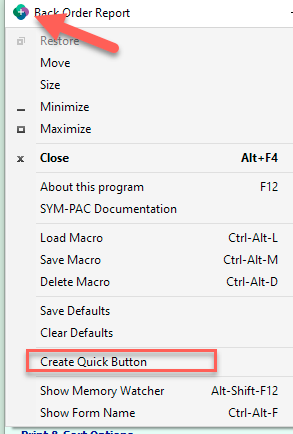
- Load the program you wish to create the quick button for (our example here uses the Back Order Report)
- In the top left-hand corner, select the SYMPAC Icon and then choose Create Quick Button.
- The quick button will now appear on the main Sympac desktop screen.
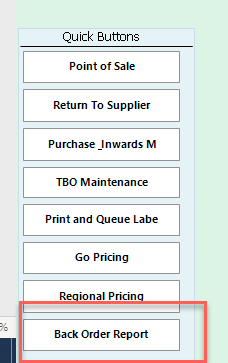
- To delete the button right click on it!